

FTP | Web Browser FTP


Web Browser FTP
Now that you have seen how to use a program like WS_FTP to do anonymous FTP, we'll let you in on a little secret: we can often use the Web Browser to do anonymous FTP downloads! Let's give another example of an anonymous FTP session to a software archive, but this time we will use the Web Browser.
In your second Web Browser window, enter the following URL address:
You should get a screen display that looks something like the following:
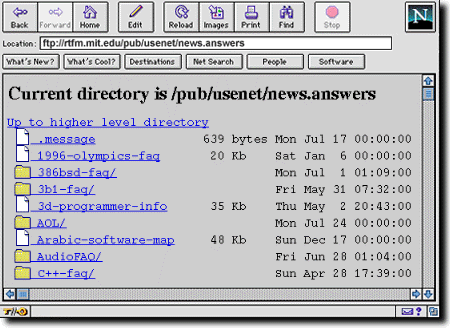
Now, we are going to retrieve a set of "Frequently Asked Questions" (usually
known as FAQs) on
Internet Relay Chat.
Notice that the URL
address being displayed by your browser at this point is
|
|
Therefore, we could have come directly to this file by entering this URL address immediately at the beginning.