

Web Browsers | The Favorites Menu


The Favorites Menu
The "Favorites" pulldown menu for the Windows version of Explorer 5.0 contains links that have been stored by the user. In some other browsers such stored links are called "bookmarks". A sample Favorites pulldown menu is shown in the following figure.
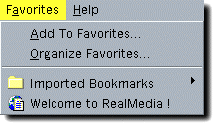
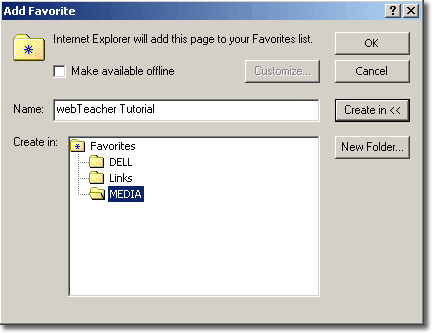
Add To Favorites adds the URL of the presently displayed document to the favorites list. A window like that shown below opens to allow you either to choose the name of an existing folder in which to place the URL or gives you the chance to create a new folder for the URL.
To edit the entries, and to access the entire Favorites list, use "Organize Favorites" in the menu. This menu item can be used to remove favorites from the list or organize them in folders.
The entries below the horizontal line in the Favorites menu
are previously stored URLs. Click one of these to go to the site.