

Finding Things | Whois Gateways


Whois Gateways
Whois allows you to find the physical locations of, and other information about, IP domains. An easy way to use this tool is to access a Whois Gateway, such as
http://alabanza.com/kabacoff/Inter-Links/cgi/whois.cgi,
with your browser.
Correlating Institutions with Domain Names
For example let's find out about the domain
korrnet.org. Accessing the above gateway gives a display like the
following into which we enter the domain "korrnet.org":
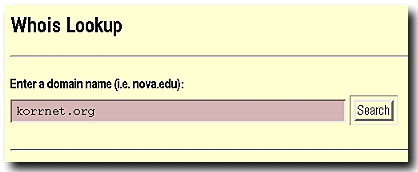
After we submit the inquiry (by pressing "Return" or "Enter", or by selecting the "Search" button), whois returns the following information:
|
Searching on Institutional Names
The whois gateway will also often give information about networks and
domains if
you just give it part of a company or institutional name; for example, try each
of the following entries in the whois gateway and see what it returns:
(1) "microsoft", (2) "vatican", and (3) "disney".
Some More Whois Exercises
Now use the whois gateway
to determine the institutions
associated with the following
addresses.
- www.utk.edu
- www.fau.edu
- www.21ct.org