

Image Files | Changing Format


Changing Format
Although the newer versions of Internet Explorer can display inline images in the BMP format, some earlier versions did not. Netscape still does not display this format inline, but instead launches a helper application to show the figure. Consequently, if you have images in this format and you want to make sure that the widest possible audience can view your images as integral parts of your web pages, you should convert the files to either GIF or JPEG format. There are many graphics programs that can perform such conversions. Such conversion is, for instance, a feature of high-end programs such as Adobe Photoshop. But the conversion can also often be accomplished with much less expensive software, some of which may come bundled with your computer.
A program in the latter category may be the Microsoft program Paint which is included as one of the accessories with the Windows operating system software. (We say "may" because while versions of the program available with Windows 98, and newer versions of the operating system, allow you to save files in GIF and JPEG formats, under some older versions of Windows Paint only allows you to save in BMP format.)
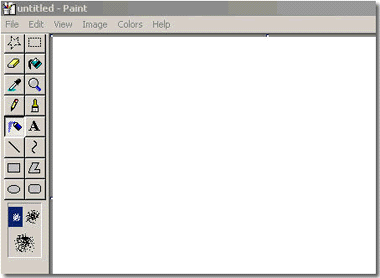
To access the program, select Programs, then Accessories, and then Paint. The opening screen will look like this:
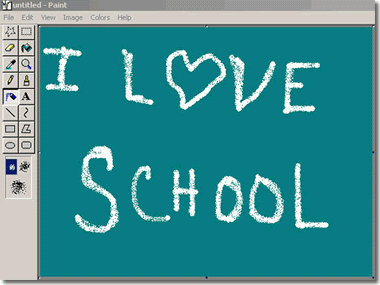
As an example of format conversion with Paint, we'll first create
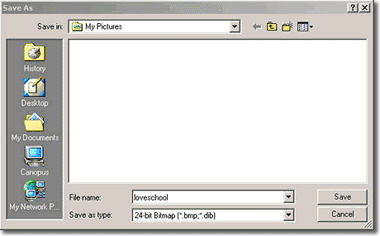
a simple image with the program, save it in BMP format, and then close the file.
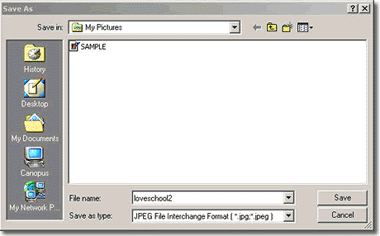
Then we'll re-open the file in Paint and convert the image to a JPEG.
(Of course, we could just save our artwork as a JPEG to start with. But we'll
use this round-about approach here just to illustrate the conversion process,
which can also be used to convert files that you may have obtained elsewhere
and for which had no control over the initial format.)
Creating a Bitmap Image (if necessary)
Before we can convert a bitmap image (.bmp) to a JPEG image (.jpg) or GIF
image (.gif) we need a bitmap image. If you don't have a bitmap image,
you can create one in Paint by following these steps.
 from the tools menu.

 from the tools menu.
Convert from Bitmap to a JPEG
(Recall that in some older versions of Windows-- e.g.,
Windows 95 and Windows NT--Paint will
not allow you to save files in anything but
BMP format. Consequently, with these older systems the following format conversion
scheme will not work.)
Converting a Bitmap image to a JPEG image is as easy as saving the file again.
As a matter of fact, that is all you do:
More About Bitmaps and JPEGs and Conversion
There are several other things you should now about changing formats: