

Web Browsers | The Bookmarks Menu


The Bookmarks Menu
The "Bookmarks" pulldown menu for the Macintosh version of Netscape 4.7 contains links that have been stored by the user. In some other browsers such stored bookmarks are called "Favorites". A sample bookmark pulldown menu is shown in the following figure. The menu may list either titles of individual documents or names of folders on the local computer where individual pages have been bookmarked.
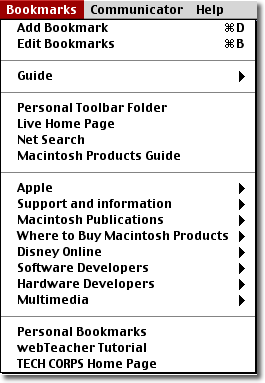
Add Bookmark adds the URL of the presently displayed document to the bookmark list. The pages bookmarked by the user are shown at the bottom of this menu (below the bottom-most horizontal line). Everything in the menu from "Guide" to the bottom section with the user's personal bookmarks are links to items on Netscape's site or other commercial sites. We'll leave it to you to explore these and determine which are of interest to you.
"Edit Bookmarks" allows you to control the way your bookmarks are organized.
Clicking this item brings up the window shown in the figure below:
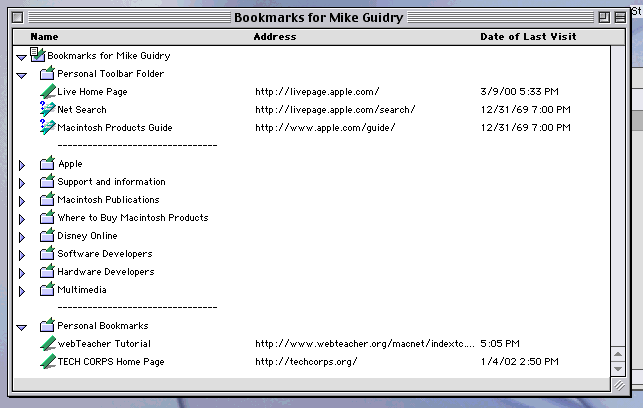
In particular, you can create new folders to hold related bookmarks, and you can drag bookmark titles to re-arrange their order in the bookmark menu.