Web Browsers | The Bookmarks Menu


The Bookmarks Menu
The "Bookmarks" pulldown menu for the Windows version of Netscape 3.0 contains links that have been stored by the user. (In Internet Explorer these are called "favorites".) A sample bookmark pulldown menu is shown in the following figure.
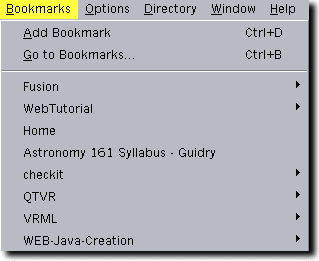
Add Bookmark adds the URL of the presently displayed document to the bookmark list. The subsequent entries in the list are bookmark entries that may be selected with the mouse cursor.
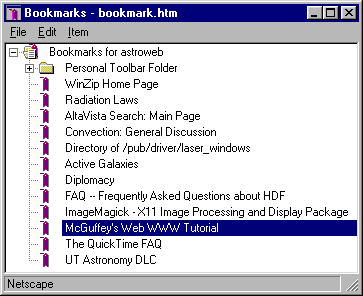
In Netscape 3.0 only the bookmark entries that fit on the screen can be accessed from this menu. To edit the bookmarks, and to access the entire list, use Go to Bookmarks. You may also edit or access the list with "Bookmarks" under the "Window" pulldown menu. Both commands bring up the same window that also allows you to sort the bookmarks and divide them into categories.
The adjacent figure shows a typical display of the bookmark list accessed from either "Go to Bookmarks" or "Bookmarks" under the "Window" pulldown menu. The menu at the top allows extensive manipulation and editing of the bookmark list, and searches for particular strings in the list.