

Finding Things | Search Engines


Search Engines
A search engine is a program that can search the Web on a specific
topic for you. By typing in a word or phrase (known as a keyword), the
search engine will produce pages of links on that topic. Supposedly, the
more relevant links are at the top of the list, but that is not always
true. To understand more specifically how search engines, operate visit
How Search Engines Work.
Example: the Google Search Engine
An example of a search engine is the popular Google Search Engine. The homepage of this web site includes a small window, which you can type a word or set of words on a topic you are interested in.
For instance, suppose you wanted to locate information about baseball on the Web. You could go to the Google site and enter your query in the entry field:
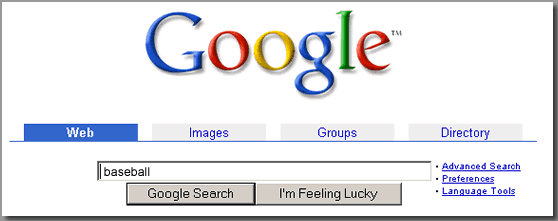
You then press on "Google Search" (other search engines will have slightly different forms). The search engine will respond by providing you with a list of all the documents in its database that contain the word "baseball". Your browser will display a page with your keyword(s) and a list of documents in which the engine found the word(s). For a Google search on "baseball", the results might look like:
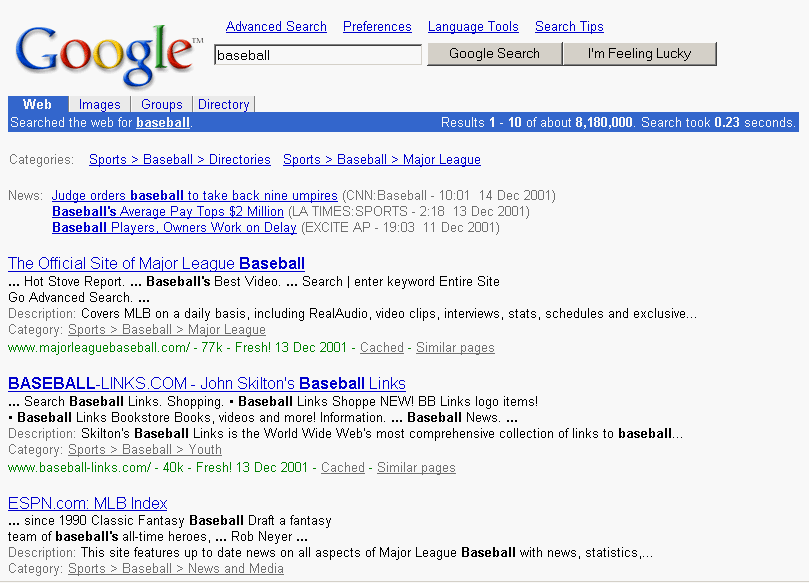
In this example (click on image for larger
example), we displayed only the first few matches. Note that each match
(or "hit") returned by Google has a link to a document that contains the
keyword(s). The link appears at the beginning of the hit telling you the
title. You can go directly to the document by simply clicking on the link.
(But in this example don't try to go to the document by clicking the underlined
words above. Remember this is just a "photo" of the page the engine returned,
not the actual page itself.)
Sharpening Your Search
If the keyword you specify for the search is a rather common term, you may be presented with an enormous number of Web documents that contain that term. (Note that Google found over 5 million documents/links to the word "baseball") In this case many of the hits may contain the term but in only one or two instances. Rather than wasting a lot of your time looking through the long list and visiting links that may turn out to have little or nothing to do with the topic you are really interested in, you can let the search engine do the sifting by repeating your search with additional and more specific keywords.
Here are a few general tips to help your search:
These general tips work for most search engines, however each search
engine may differ in how they want the user to search. Most search engines
do have help files and information on advanced searching if you want to
hone your searching skills further.
Other Search Engines
There are many search engines besides the Google service available on the Web. Here are the links for some other popular ones:
AltaVista (www.altavista.com)
Northern Light (www.northernlight.com)
Excite (www.excite.com)
Although there may be minor differences in the details of their use,
most of these engines behave in a similar way, accepting a list of keywords
from you and returning a list of documents that contain those keywords.
Keep in mind that if you don't find the results you're looking for in
one search engine, try another because each search engine analyzes the
Web a different way.
Internet Safety
Search engines can access a broad range of material on the Web, depending on search strings used. Thus, unsupervised use of search engines by students can lead to access of inappropriate material.
It is advisable to consider this if you intend to use search engines directly in your classes (as opposed to using them to find material that you intend to use later in class). Fortunately, some search engines try to prevent this. Searchenginewatch.com has a list of the search engines on their web site that attempt to screen inappropriate material.
Also, you may find it useful to warn your students that it is possible to go back and find out from the computer which files and addresses have been accessed by the Web browser on that computer (by looking at what are called the cache files). You should also consult the discussion of netiquette and the section on Internet Safety.