

Telnet | NCSA Telnet


NCSA Telnet
The program that we are going to use to implement telnet is NCSA TELNET, which is a freeware implementation of telnet produced by the National Center for Supercomputer Applications (NCSA).
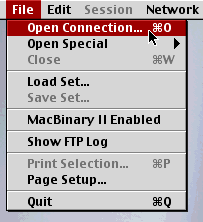
Initiating a Telnet Session
Open NCSA Telnet by double-clicking on its icon. From the resulting menu, choose "Open Connection" from under "File", as illustrated in the adjacent image. The resulting popup login screen looks like the figure below.
You may make a telnet connection by
typing into the "Host/Session Name" window the telnet address to which
you wish to
connect and hitting "Enter" or "Return".
In the example shown, the address is
locis.loc.gov.
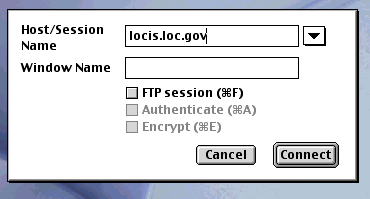
Try typing this address into the login window for NCSA Telnet and see what happens. You may exit from the resulting telnet session by choosing "Close" from the NCSA Telnet menu.
This is an example of a telnet login that does not require a password, because
it has been set up to allow "Anonymous Logins"; that is, it
permits logins from people who
do not have accounts on the computer with the IP address
locis.loc.gov.
More Advanced Commands
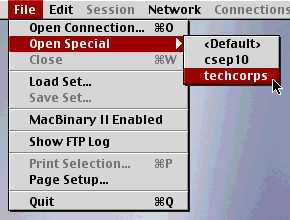
If you use telnet frequently, you can store common telnet addresses in the
program so that they can be accessed from a popup menu, as illustrated in the
adjacent figure. You may consult the user's help files for
NCSA Telnet to learn
how to do this and other things, but you already know the important thing: how
to make a telnet connection to an arbitrary IP address.
At one time telnet was a very important means of obtaining information on the Web. This function has almost entirely been taken over by Web browsers now. It is still important, however, as a way to log into remote machines, particularly those running Unix operating systems. If you have an account on such a system, you can use telnet to log into your account from any machine supporting telnet on the internet.